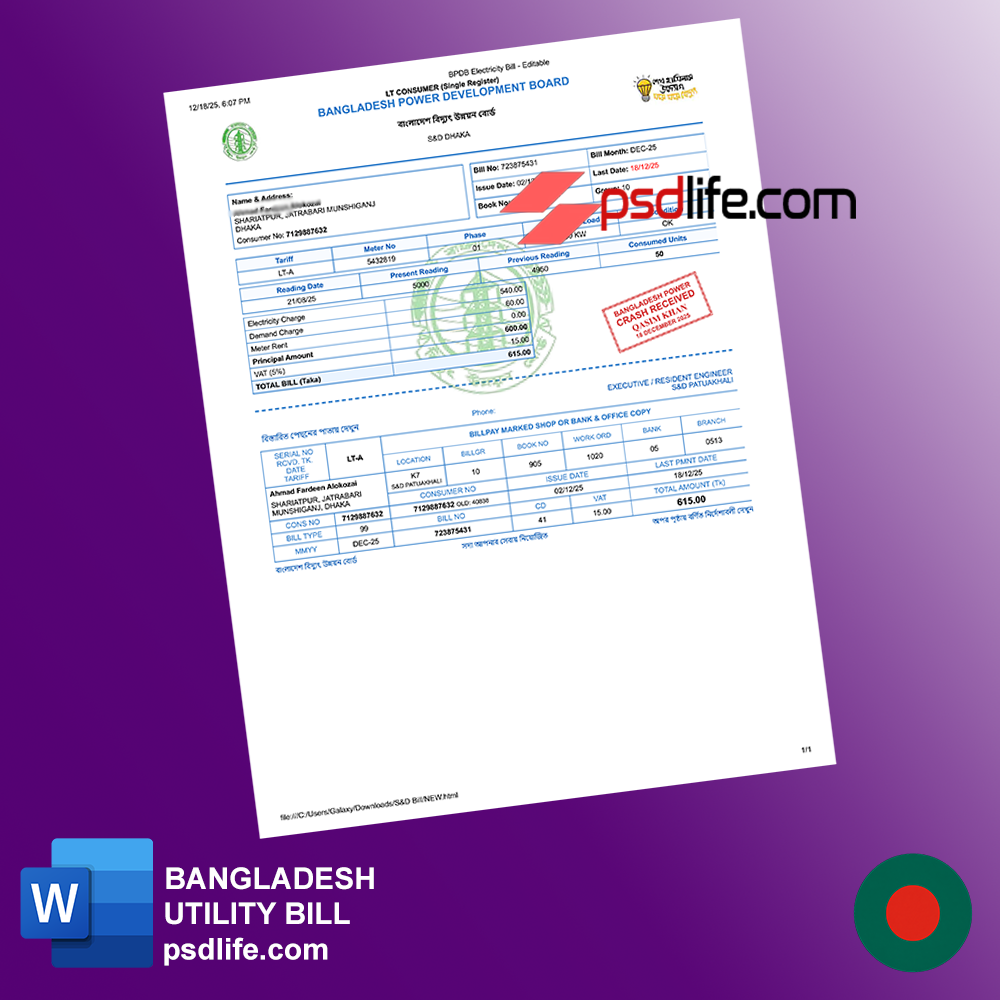
Finding a Bangladesh Power Development Board (BPDB) electricity utility bill template in Word format that is both fully editable and professionally structured is harder than it should be. Most available files online are either poorly formatted, visually inconsistent, or missing critical billing elements that make them realistic and usable for documentation, design, or educational purposes.
A well-designed electricity bill template is not just a visual asset—it serves practical roles in:
- Utility billing simulations
- UI/UX design for energy apps
- Financial record demonstrations
- Software testing environments
- Training materials for accounting or billing systems
With the rapid growth of digital utilities and fintech integration, structured billing documents are essential for clarity and usability. This guide provides a complete, expert-level resource to help you understand, create, and optimize a BPDB-style electricity bill template in Word format.
What Is a BPDB Electricity Utility Bill Template? (Professional + Simple Explanation)
Professional Definition
A BPDB electricity bill template is a structured document that replicates the format and layout of official billing statements issued by the Bangladesh Power Development Board. It includes essential components such as:
- Customer identification details
- Meter readings
- Billing period
- Tariff structure
- Total payable amount
Simple Explanation
It’s a Word file designed to look like a real electricity bill from BPDB, allowing you to input and organize billing data clearly and professionally.
Practical Use Cases
- Billing system design
- Educational simulations
- Business documentation
- UI prototypes for utility apps
History, Evolution, and Current State of Utility Billing Templates
Historical Overview
Electricity bills were originally issued as printed paper documents with manual meter readings. Over time, they evolved into digital formats.
Evolution Timeline
- Pre-2005: Paper-based billing
- 2005–2015: PDF and computerized billing
- 2015–2025: Online billing portals and mobile apps
Current State in 2025
Modern utility billing includes:
- Digital dashboards
- Automated billing systems
- API integrations for energy platforms
Templates are now widely used for design, testing, and documentation purposes.
Types of BPDB Electricity Bill Templates
Editable Word Templates
Definition: Fully customizable .DOCX files
Advantages:
- Easy editing
- High flexibility
- Suitable for beginners
Use Cases:
- Documentation
- Demo billing
PDF Templates
Definition: Fixed-layout documents
Advantages:
- Professional look
- Print-ready
Use Cases:
- Final output
- Client-facing reports
Excel-Based Templates
Definition: Spreadsheet billing formats
Advantages:
- Automatic calculations
- Data tracking
Use Cases:
- Billing systems
- Energy usage analysis
Software-Generated Templates
Definition: Created via tools or scripts
Advantages:
- Scalable
- Automated
Use Cases:
- SaaS platforms
- Utility software
Key Benefits of Using a BPDB Bill Template
- Structured Layout: Organized billing information
- Time Saving: No need to design from scratch
- Professional Output: Clean and readable
- Data Accuracy: Better tracking of usage and charges
Advanced Benefits
- Improved UX in billing apps
- Better financial visualization
- Reduced formatting errors
Drawbacks, Risks, and Challenges
Common Issues
- Poor formatting
- Missing billing fields
- Inconsistent layout
Risks
- Misinterpretation of data
- Lack of realism in design
Solutions
- Use structured tables
- Follow real-world billing formats
- Maintain consistency
Requirements and Prerequisites
Before creating your template, prepare:
- Microsoft Word
- Sample billing data
- Knowledge of electricity billing structure
- Basic formatting skills
Step-by-Step Guide to Creating a BPDB Electricity Bill Template in Word
Step 1: Set Up Page Layout
- A4 size
- Standard margins
- Font: Arial/Calibri
Step 2: Create Header Section
Include:
- BPDB name (or placeholder)
- Bill title
- Billing period
Step 3: Add Customer Information
Fields:
- Customer name
- Address
- Account number
- Meter number
Step 4: Design Billing Table
Columns:
- Previous reading
- Current reading
- Units consumed
- Rate per unit
- Total charge
Step 5: Add Summary Section
Include:
- Total amount
- Due date
- Payment instructions
Step 6: Final Formatting
- Align text properly
- Use subtle borders
- Ensure readability
Expert Tips and Professional Techniques
- Use consistent font sizes
- Align numbers to the right
- Avoid heavy borders
- Maintain white space
Insider Insight
Professional billing templates prioritize clarity over decoration.
Comparison with Other Formats
| Feature | Word | Excel | |
|---|---|---|---|
| Editability | High | Medium | Low |
| Automation | Low | High | None |
| Design Control | High | Medium | Low |
Costs, Time, and Success Rate
Costs
- Free templates available
- Premium: $10–$30
Time Required
- Basic: 30 minutes
- Advanced: 2–3 hours
Success Rate
High if properly structured
Real-World Scenarios
Beginner
Student creating billing simulation
Professional
Designer building UI for utility app
International Use
Companies testing billing systems
Advanced FAQ
Can I edit the template easily?
Yes, Word templates are fully editable.
Which format is best?
Word for design, Excel for calculations.
Can I reuse the template?
Yes, with updated data.
Final Strategic Conclusion
A BPDB electricity utility bill template in Word format is a powerful tool for documentation, design, and simulation. By following a structured approach, you can create a professional, editable, and realistic template that meets modern standards.